
Print Services
Print Stations
We have a number of print stations throughout each campus to allow you to photocopy, print and scan. Print stations are also located in each of the campus Digital Hubs (libraries) and our Digital Services staff are on hand to help support you with using these. Please consider the environment before printing – is there any way you can access this information online?
All students are awarded a print credit of £3 at the start of Semester 1 and Semester 2.
The printing prices are as follows:
Black and White print – 3p per side
Colour print – 30p per side
This cost doubles if you are printing in A3.
Your print credit can be topped up at the Digital Hub (library) desk – we would recommend that you only top up what you need.
To use the print stations follow these steps:
1. Ensure Secure Printing Input is selected under the Printer option when sending your document to the print station. Make sure to select A4 or A3 paper and if you want to print on both sides of the paper or just one.
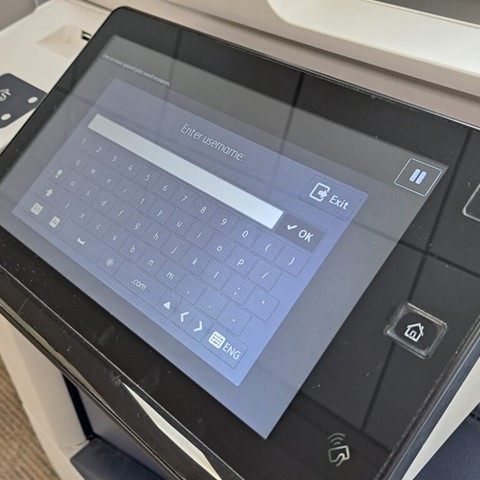
2. Either tap your student card onto the machine to log in, or enter your PIN number. Staff at the Digital Hubs (libraries) can help you to get your PIN for printing. This is useful if you do not have your student card yet.
3. Tap on Secure Print, select your document then press Print. Alternatively, you can perform other tasks such as copying, scanning and emailing a document.
4. Once you are finished, log off the machine by tapping your student card again or by tapping on the Log Off option on the top right corner of the printer display.
For more complex and specialised printing requests, our Digital Services staff are here to help.
Please contact digital@dundeeandangus.ac.uk if you require any further information.
Useful Links